
Free and Pro
WeiiGo is free for planning your trips and keeping safe. This page lists what needs WeiiGo Pro, what you see on the Free plan instead, and what you keep if Pro ends.
For the short version, how to upgrade, try Pro, cancel and restore, see Free and WeiiGo Pro.
What is Free and what is Pro
Know what always stays free
You never need Pro to stay safe or to plan a trip by hand.
- Open the Tools tab, the Safety tab or your trip.
- Use any of the things below with no badge.
Free for everyone:
- Safety: SOS, "I'm safe", local emergency numbers, the check-in timer, sharing your live location and nearby incidents.
- People: trusted contacts, invites, and joining a trip from an invite link.
- Trips: planning a trip by hand, your itinerary, adding and editing items, day maps, trip notes, your budget and expenses, and trip readiness.
- Getting around: driving, walking and cycling directions.
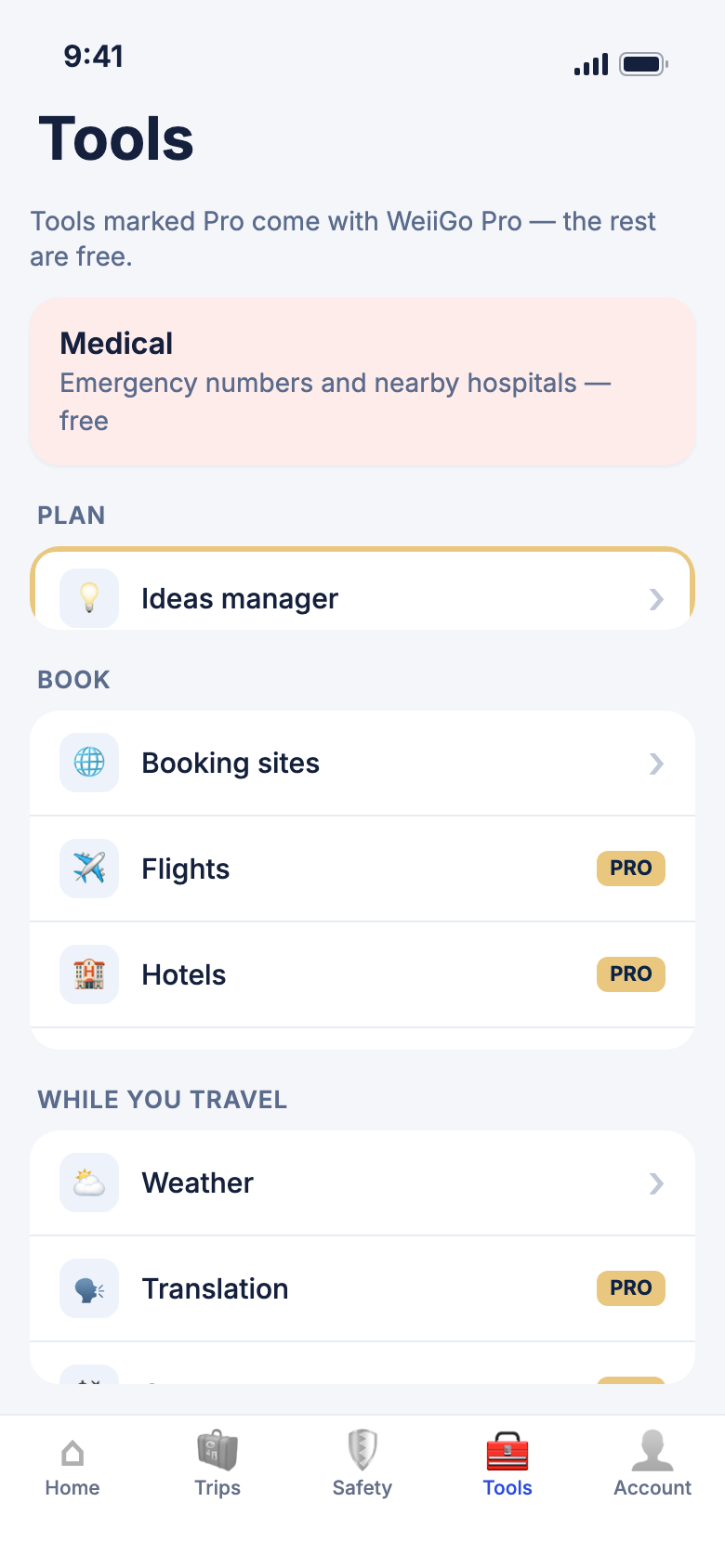
- Tools: the daily weather forecast, Medical, Booking sites, and the Ideas manager (up to 10 ideas).
- Account: your profile and settings, your default currency, your travel stats, and seeing or disconnecting a connected bank.
See what needs Pro
Pro features are marked so you know before you tap.
- Look for a small Pro badge on a row or button.
- Look for a Pro tag beside a label too, such as Save to trip ideas.
- On a locked setting, tap the row to read what it does.
What Pro adds, by area:
- Janet: asking her questions, planning a trip with her, her daily briefing and reminders, and what she remembers about you.
- Planning: the AI trip plan, trip summary, trip prep brief, cost estimates and finding past trips in your photos.
- Bookings: emailed bookings, sharing into WeiiGo from other apps, trip documents, and your travel documents vault.
- Search: Flights, Hotels and Cars, and ideas search.
- While you travel: live flight status, bus, train and ferry journeys, safety scores, air quality and pollen, the trip tracker, and offline trip packs.
- Tools: Translation and Currency.
- Lists: the packing checklist, and Dream trips.
- Sharing: sharing a trip you own, and editing a trip shared with you.
- Money: connecting a bank or card.
WeiiGo Pro — On the Free plan, a Pro feature shows a badge, a locked switch, or a sample with an upgrade button. A few are not shown at all, such as the daily briefing, the Documents button on a trip and the packing checklist button.
Good to know
- Badges disappear as soon as you upgrade. You do not need to restart the app.
- Some Pro features also have daily limits, even with Pro.
- Each feature is explained on its own page, such as Planning a trip, Your itinerary and Tools.
Tap a Pro feature on the Free plan
You get one clear message and nothing changes.
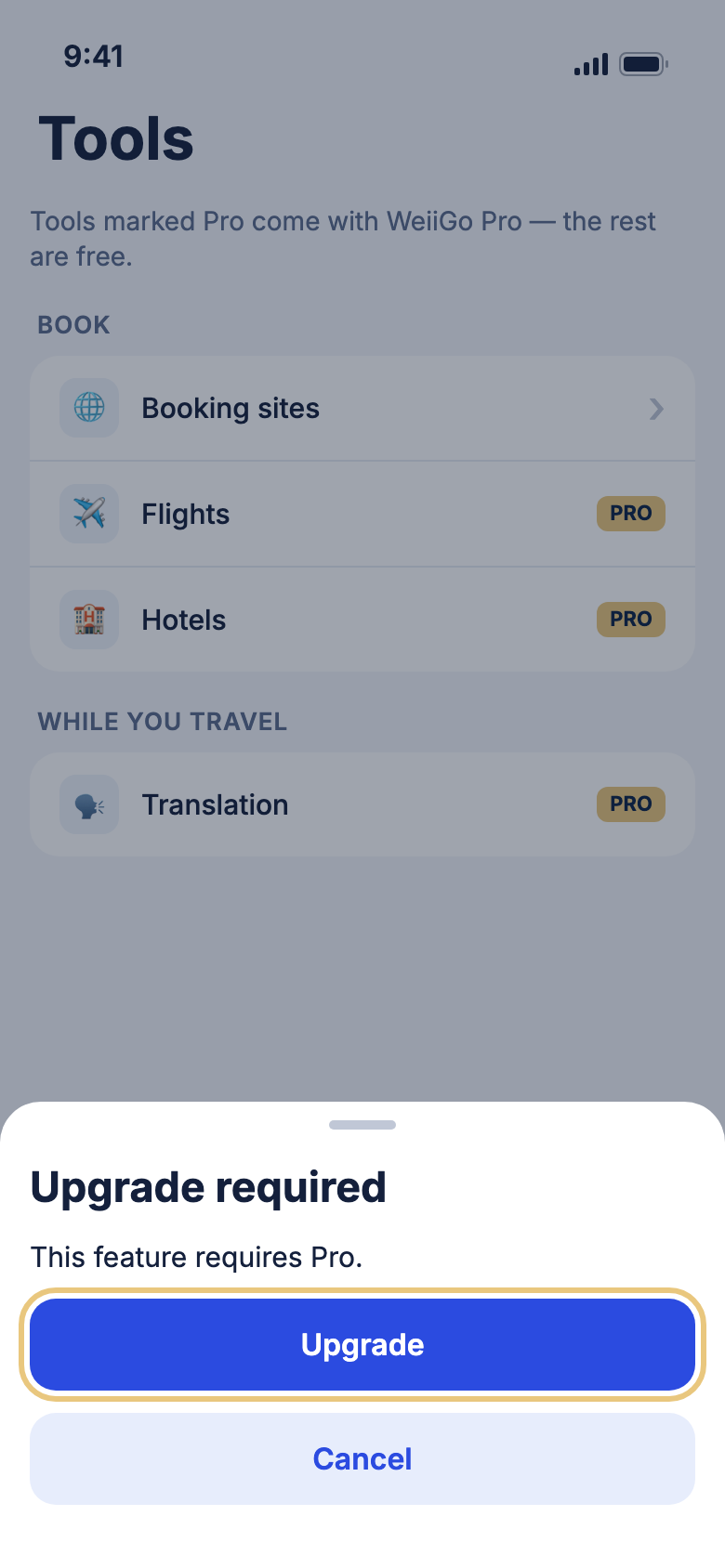
- Tap a feature with a Pro badge, such as Translation.
- Read Upgrade required.
- Tap Cancel to stay where you are.
- Or tap Upgrade to open the plans.
Good to know
- Janet's version adds an example of what she can do.
- A locked setting asks the same with the setting's name, then Available with Pro.
- If you upgraded on another phone and this one has not caught up, you may see the message too. Pull down on a page to refresh, or reopen the app.
Ideas and shared trips
Keep up to 10 ideas on the Free plan
On Free, you can save up to 10 ideas, all in General. Pro has no limit and lets you use any collection.
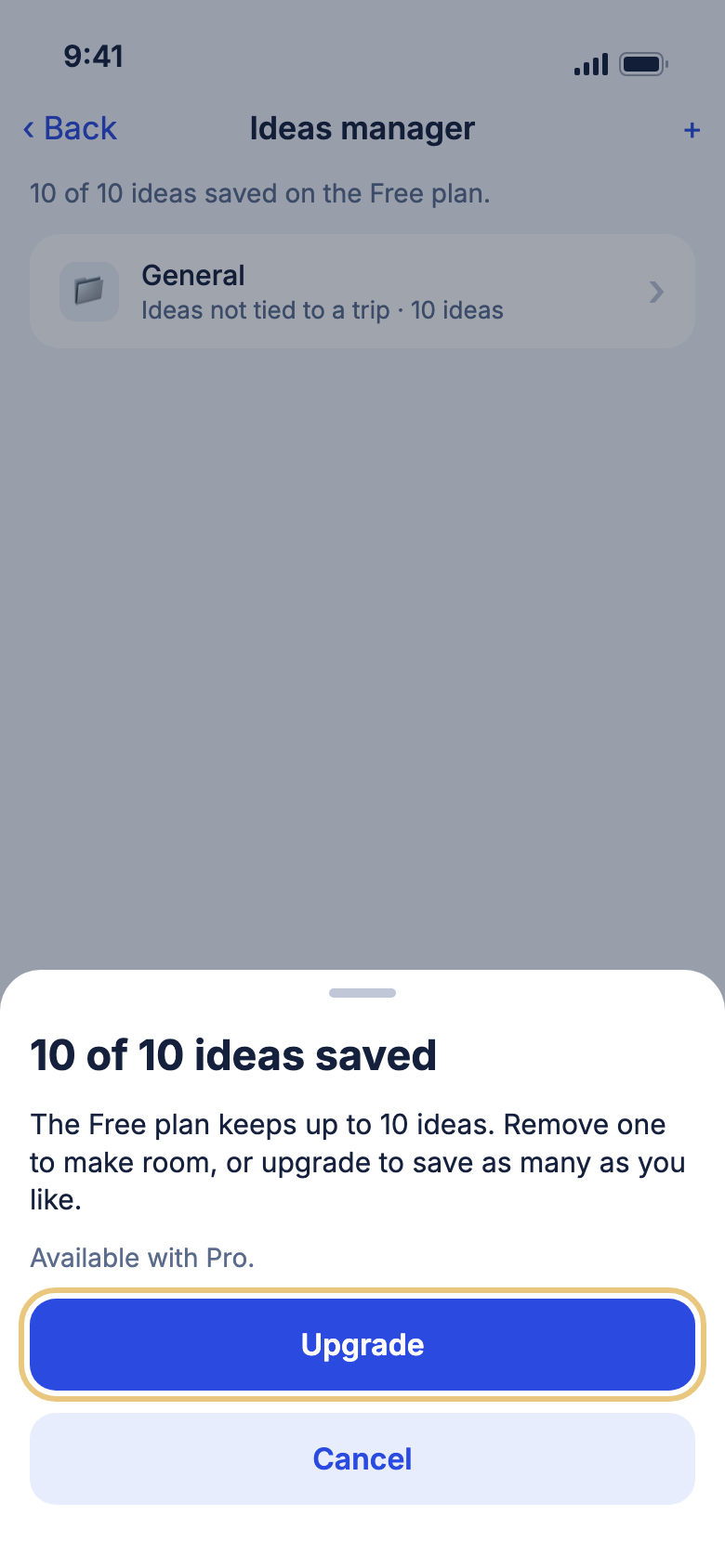
- Tap the Tools tab, then Ideas manager.
- Read the counter, such as 7 of 10 ideas saved on the Free plan.
- Keep saving ideas to General until you reach ten.
- At the limit, read 10 of 10 ideas saved.
- Tap Upgrade, or Cancel and remove an idea to make room.
WeiiGo Pro — On Free, choosing a named collection or New collection… shows Upgrade required.
Good to know
- You can always remove an idea, even on Free.
- If you had Pro and have more than 10 ideas, you keep them all. You just can't save new ones until you are under 10.
Share a trip, and edit one shared with you
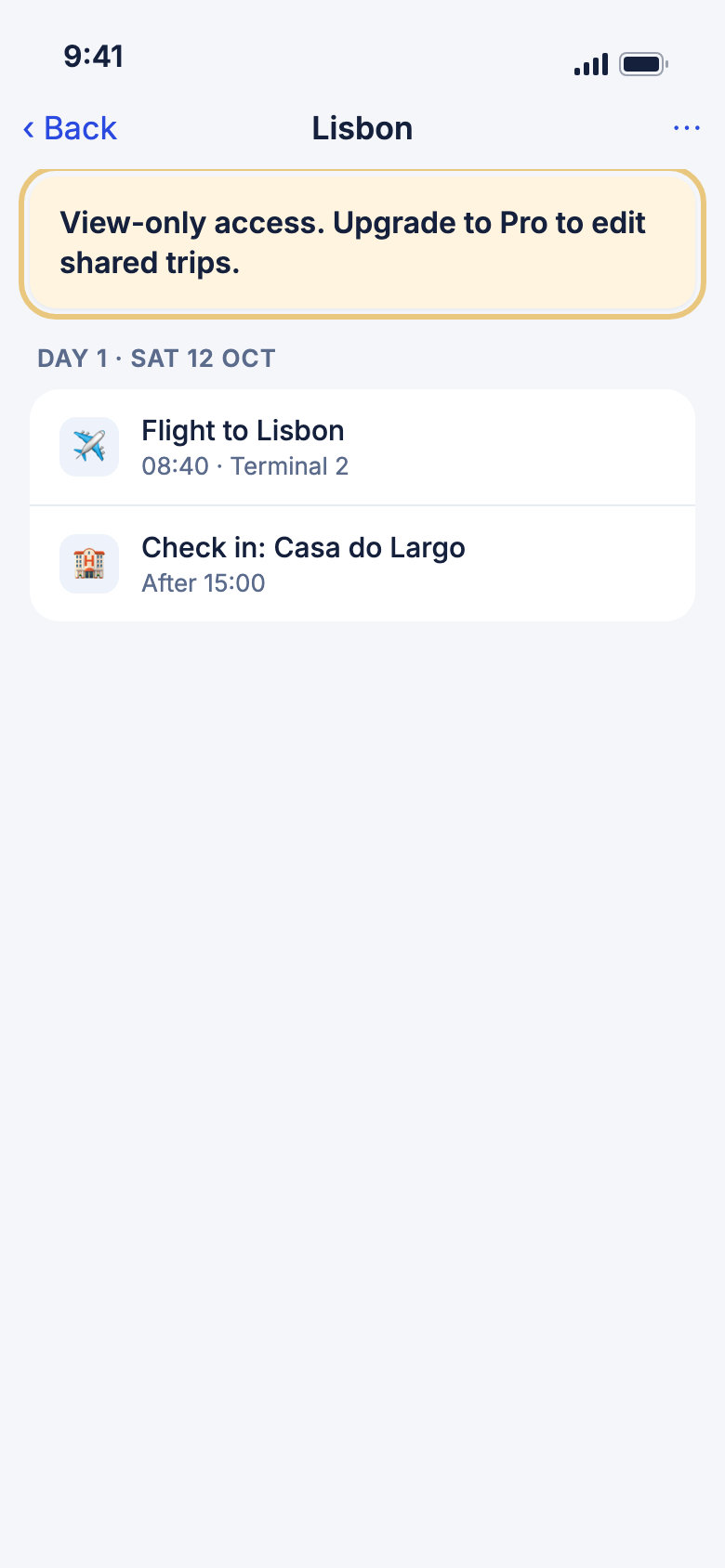
The owner of a trip needs Pro to share it. The people they share with can be on either plan, but editing needs Pro.
- As the owner, open your trip and tap ⋯, then Share trip. Pro opens it. Free shows Upgrade required.
- A person with Pro joins as an editor.
- A person on Free joins as a viewer and sees View-only access. Upgrade to Pro to edit shared trips.
- If you try to make a Free person an editor, you see that they need WeiiGo Pro to edit, and they stay a viewer.
Good to know
- Sharing tells the person you share with. Joining from an invite link is free.
- If an editor's Pro ends, they can keep editing for 14 days, then they become a viewer.
- See Trip summary, budget and sharing for the sharing steps.
If Pro ends
See what you kept
When a paid Pro plan ends, nothing you saved is deleted. Much of it stays open to read.
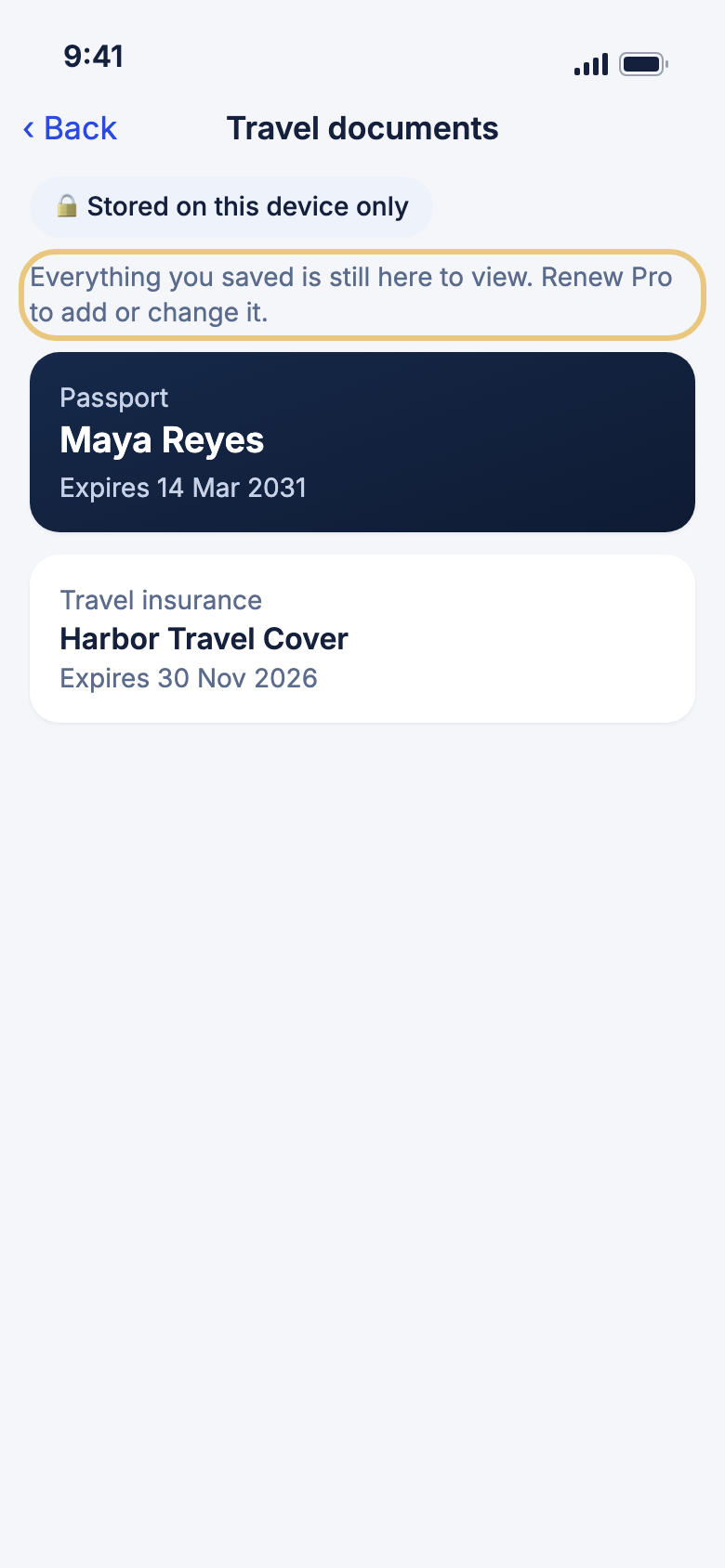
- Open the page as you always do, such as Travel documents on the Tools tab.
- Read or open what you saved.
- Look for the note Everything you saved is still here to view. Renew Pro to add or change it.
You can still open:
- Trip documents and your travel documents.
- Your packing checklists.
- Your trip tracker journal. You can still remove points from it.
- Your saved ideas and collections.
- Your earlier chats with Janet. Where you would type, you see Renew Pro to ask Janet.
- Your trip timeline and kept photos.
- Your Dream trips.
- Offline packs you saved. Refreshing one needs Pro.
WeiiGo Pro — Adding, changing or asking something new shows Upgrade required. The AI trip summary, daily briefing, live flight status and safety scores go back to what Free sees.
Good to know
- Renew Pro and you see Welcome back. Everything is right where you left it.
- Only a paid plan that ended in the App Store or Google Play counts. If you left with Switch to Free, or a plan given to you was removed, you are on an ordinary Free plan.
Get Pro back on a new phone
If you already pay for Pro, Restore brings it back without paying twice.
- Sign in with the account you paid with.
- Tap the Account tab.
- Tap Restore purchases, shown while you are on Free.
- If a plan is found, Pro turns on. If not, you see Nothing to restore.
Good to know
- Restore works on a real phone, not a simulator.
- Upgrading, the free trial and cancelling are in Free and WeiiGo Pro.