
Free and WeiiGo Pro
WeiiGo is free to use for planning your trips and keeping safe. WeiiGo Pro adds Janet, your AI travel assistant, and extra travel tools. This page shows what each plan includes, how to upgrade or cancel, and what you keep if Pro ends.
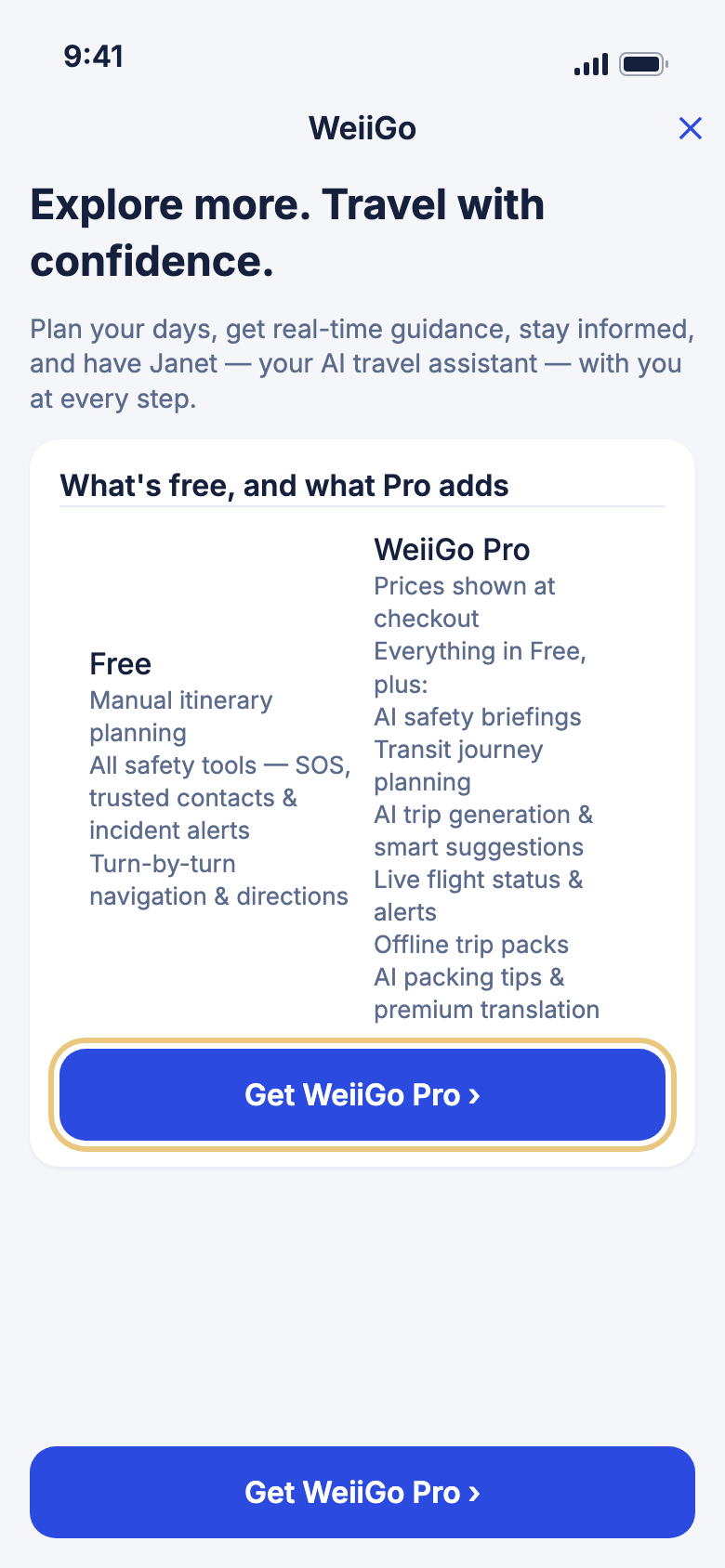
What each plan includes
Compare Free and Pro
See what you already have, and what Pro would add, before you decide.
- Tap the Account tab.
- Under Subscription, tap Upgrade to Pro.
- Read What's free, and what Pro adds at the top.
- Scroll down to see more of what Pro does, or tap ✕ to go back.
Free for everyone
- Plan trips by hand: add flights, stays and activities to each day.
- All safety tools: SOS, trusted contacts, check-ins and incident alerts.
- Turn-by-turn directions.
- The weather forecast for your trip, and your travel stats.
- Save up to 10 ideas to your General list.
What WeiiGo Pro adds
- Janet, your AI travel assistant: ask her about your trip, have her plan your days, and get a daily briefing and smart reminders.
- Your bookings in one place: import them from email, PDFs and screenshots, or share them into WeiiGo from other apps.
- Search for flights, hotels and cars.
- Live flight status and alerts.
- Translation, currency, a safe place for your travel documents, and the hour-by-hour weather.
- A packing checklist, trip cost estimates, and air quality and pollen on your day plan.
- Safety briefings and a safety score for where you are going.
- Bus, train and ferry journeys planned into your trip.
- Sharing a trip with family or friends.
- Offline trip packs.
- The Trip Tracker and your travel journal, and finding past trips in your photos.
- As many saved ideas as you like, in your own collections, and Dream Trips for someday.
Good to know
- Things that need Pro wear a small Pro label in the app.
Getting Pro
Upgrade to WeiiGo Pro
Pay monthly or yearly through the App Store or Google Play.
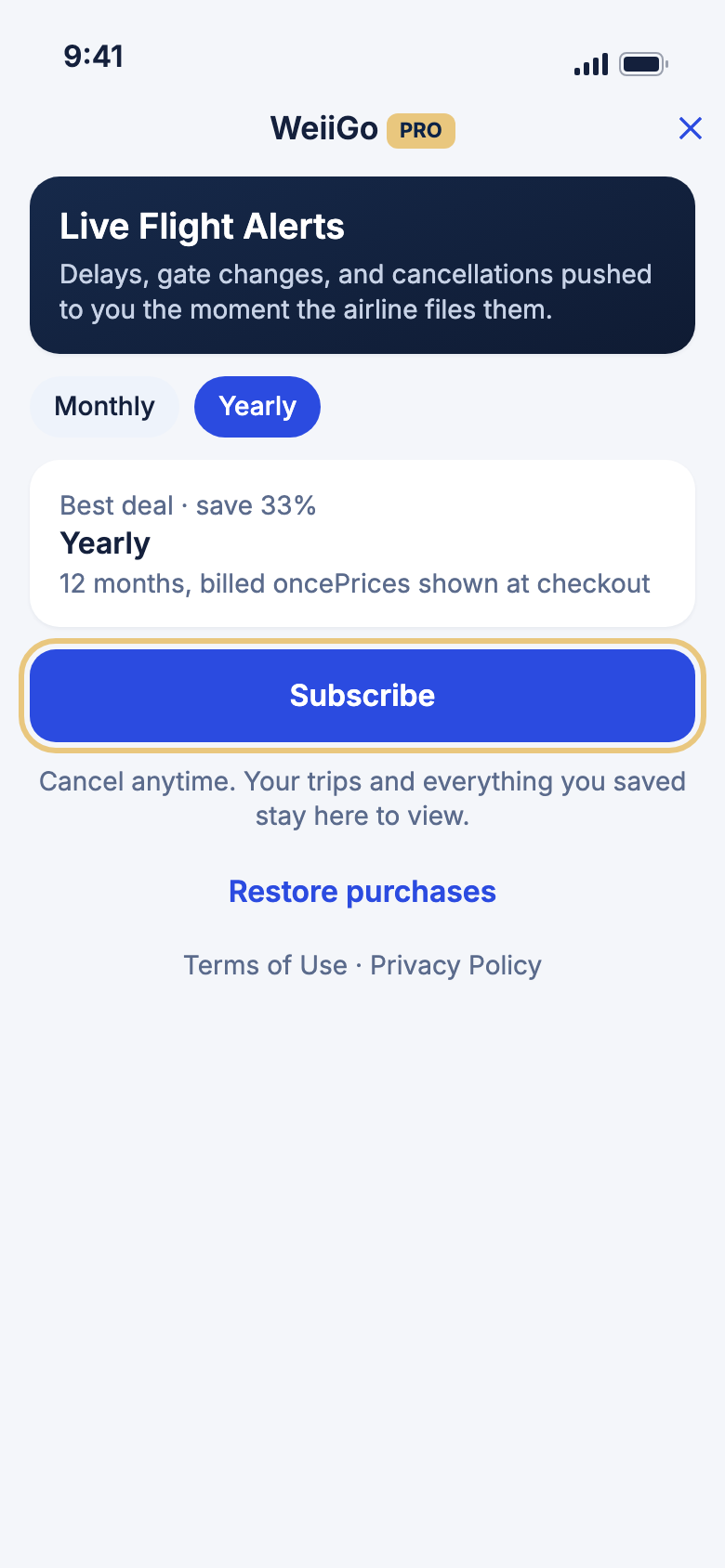
- Tap the Account tab.
- Tap Upgrade to Pro.
- Tap Get WeiiGo Pro.
- Tap Monthly or Yearly.
- Tap the Subscribe button. It shows the price you will pay.
- Confirm in the App Store or Google Play screen that opens.
- When you see You're upgraded, Pro is on.
Good to know
- You can also start from a Pro feature. When you tap one on the Free plan, you see Upgrade required. Tap Upgrade to go straight to the plans.
- Prices come from the App Store or Google Play, in your own currency.
- If a purchase does not go through, you see Purchase failed. You haven't been charged.
- Already paid for Pro on another phone? Tap Restore purchases instead. See The Account tab.
Cancel WeiiGo Pro
You cancel in the App Store or Google Play, not in the app. WeiiGo takes you there.
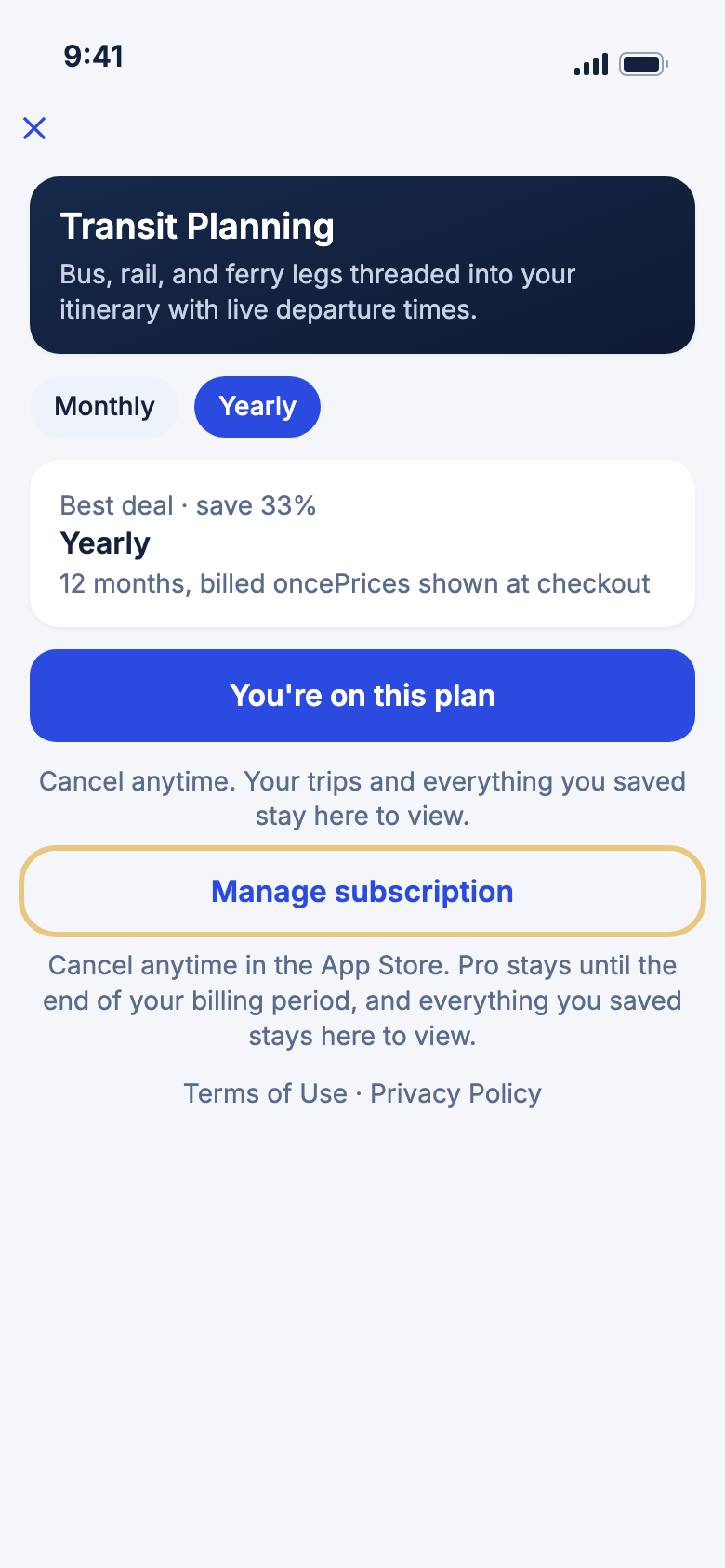
- Tap the Account tab.
- Tap Subscription.
- Tap Manage subscription.
- Cancel in the App Store or Google Play screen that opens.
Good to know
- Pro stays on until the end of the time you've paid for. Then you move to the Free plan.
If Pro ends
See what you saved
When Pro ends, your trips stay, and the things you saved with Pro stay open for you to read.
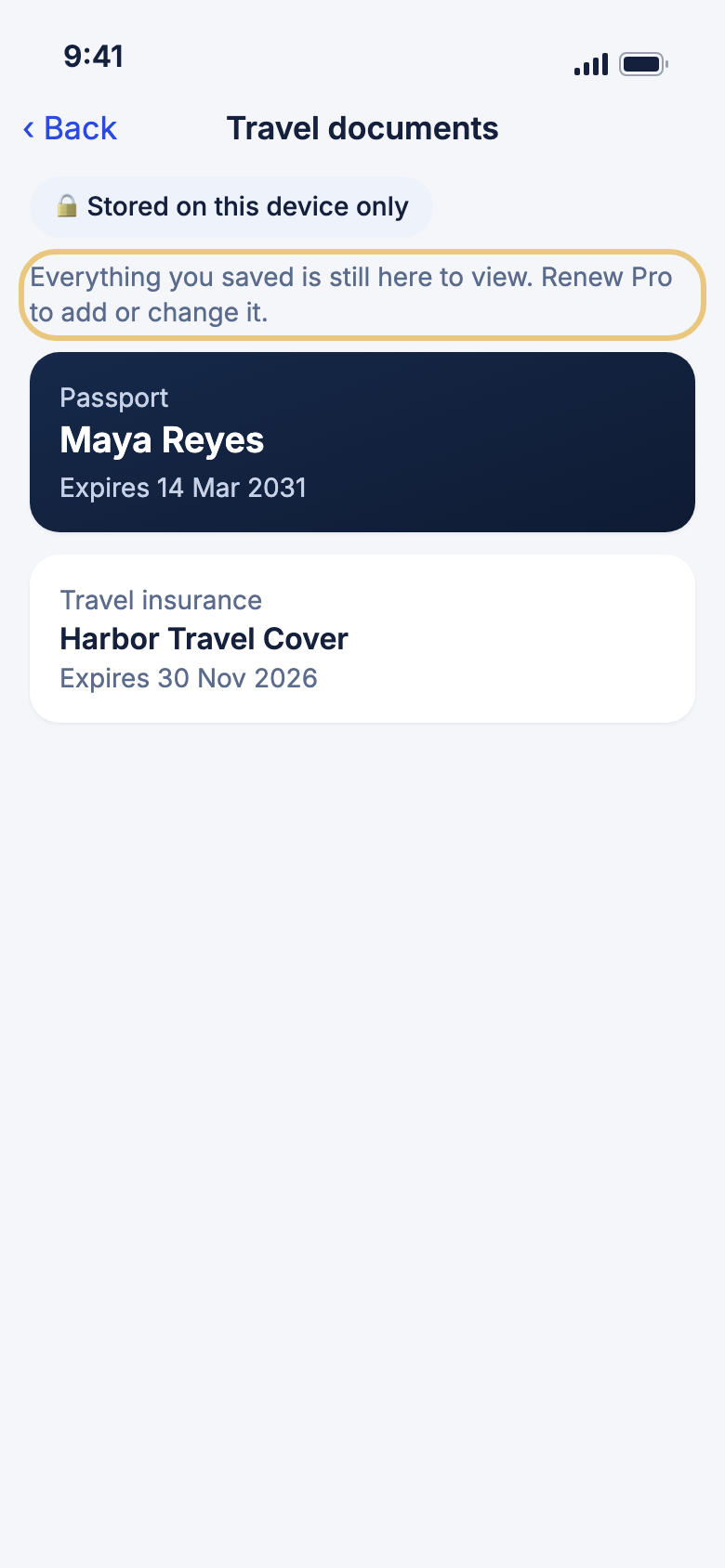
- Open the page as you always do, for example Travel documents on the Tools tab.
- Read or open anything you saved.
- Look for the note Everything you saved is still here to view. Renew Pro to add or change it.
You can still open:
- Your trip documents and your travel documents.
- Your packing checklists.
- Your Trip Tracker tracks and travel journal.
- Your saved ideas and collections.
- Your past chats with Janet.
- Your trip recap timeline.
- Your Dream Trips.
- Bookings you emailed to WeiiGo. You can still tap Discard or Archive on them.
Good to know
- Adding, changing or asking something new needs Pro again. You can't ask Janet new questions, for example.
- Saved ideas: on the Free plan you can keep 10. If you have more, you can't save new ones until you remove some. You can always remove an idea.
- Come back to Pro any time. You see Welcome back, and everything is right where you left it.