
Travel with Pets
Taking a dog, cat or ferret abroad? Travel with Pets shows what your destination asks for and when each step is due, what your airline allows, the official fees, and a checklist you can tick off. It also finds a vet nearby and shows emergency phrases in the local language.
WeiiGo Pro — Everything here is free to read and use. Only two things need Pro: Add to a trip's checklist, and Translate something else on the phrases page, which opens the Pro translator. On a Free plan, tapping either shows an upgrade prompt instead.
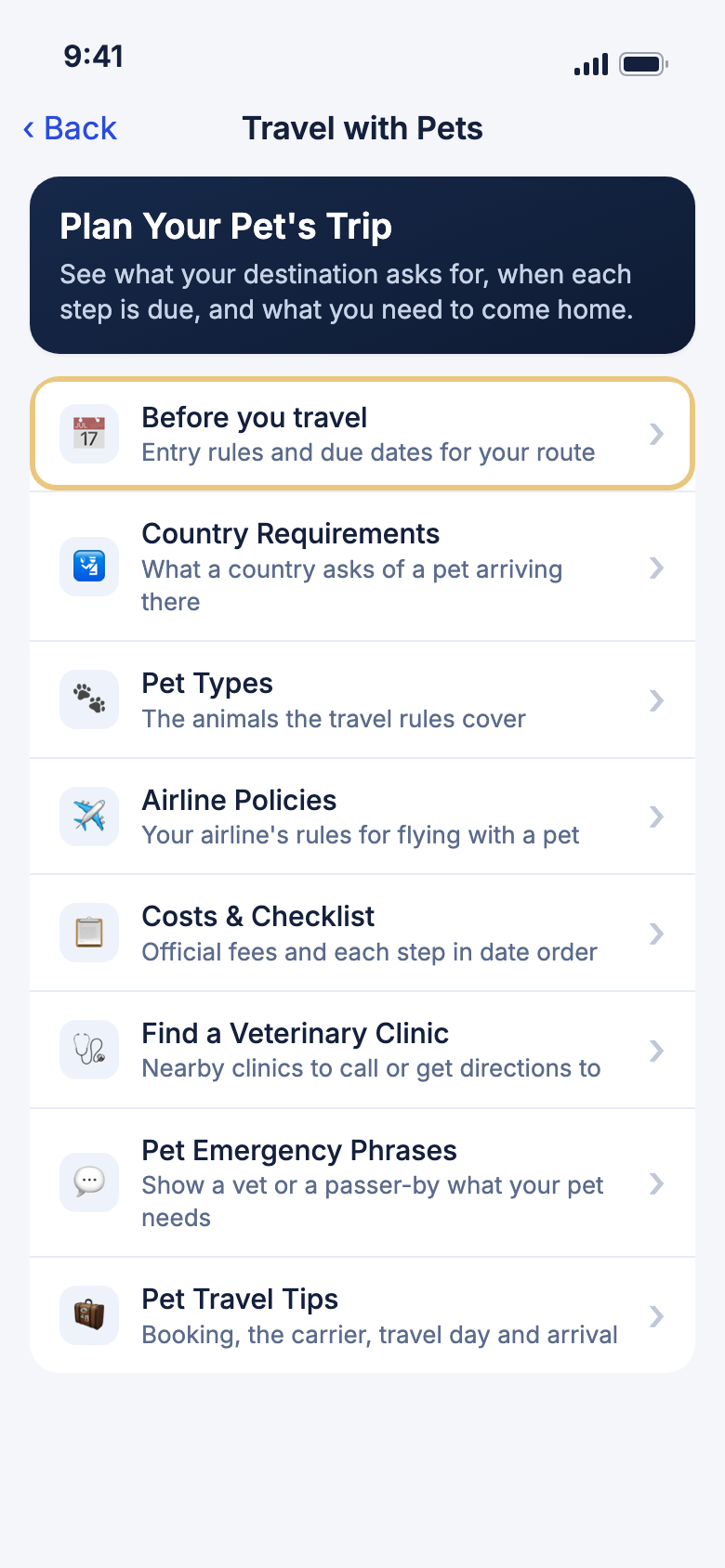
Plan your pet's trip
Open Travel with Pets
Start here for anything to do with traveling with your pet.
- Tap Tools.
- Under More tools, tap Travel with Pets.
Good to know
- You can also tap Travel with Pets under Quick actions on Home, when it is one of your four. See The Home tab.
- Before you start, read the Quick Tip at the bottom: some countries ask for a rabies blood test and then a wait of several months, so start early.
See the rules and due dates for your route
Find out what your pet needs to enter your destination, and to come home again, with a date for each step.
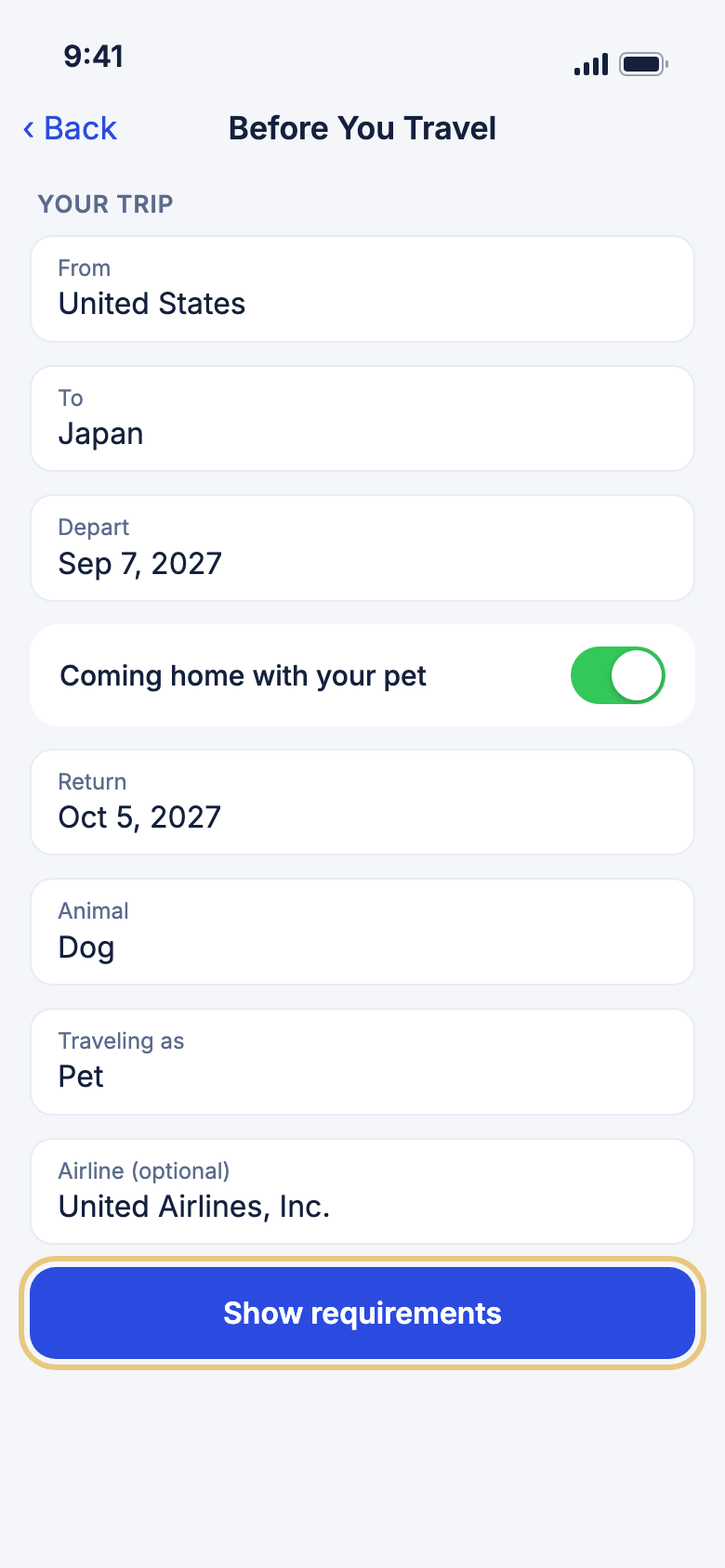
- Tap Before you travel.
- Under Your Trip, pick From and To, and the Depart date.
- If your pet comes back with you, keep Coming home with your pet on and pick the Return date.
- Pick the Animal: Dog, Cat or Ferret.
- Under Traveling as, pick Pet, Service animal or Emotional support animal.
- If you know your airline, pick it under Airline (optional).
- Tap Show requirements.
Good to know
- You see one card for each direction, such as Entering Japan. It says who sets the rules, links to the Official source, and lists each step with the date it is due by.
- Under the steps you get a Checklist to tick off, the official fees under Cost Estimates, and your airline's pet policy if you chose one.
- Show requirements stays grayed out until you pick both countries, and until the return is after the departure.
- Your ticks are kept on this phone. WeiiGo remembers your choices here too, and Country Requirements and Costs & Checklist start from them.
- If WeiiGo has not checked a country's rules yet, it says "We haven't verified the rules for this country yet" and tells you who to ask.
- Rules change. Check each step with the official source before you travel.
See what one country asks of a pet
Look up a country's entry rules for a pet without filling in dates.
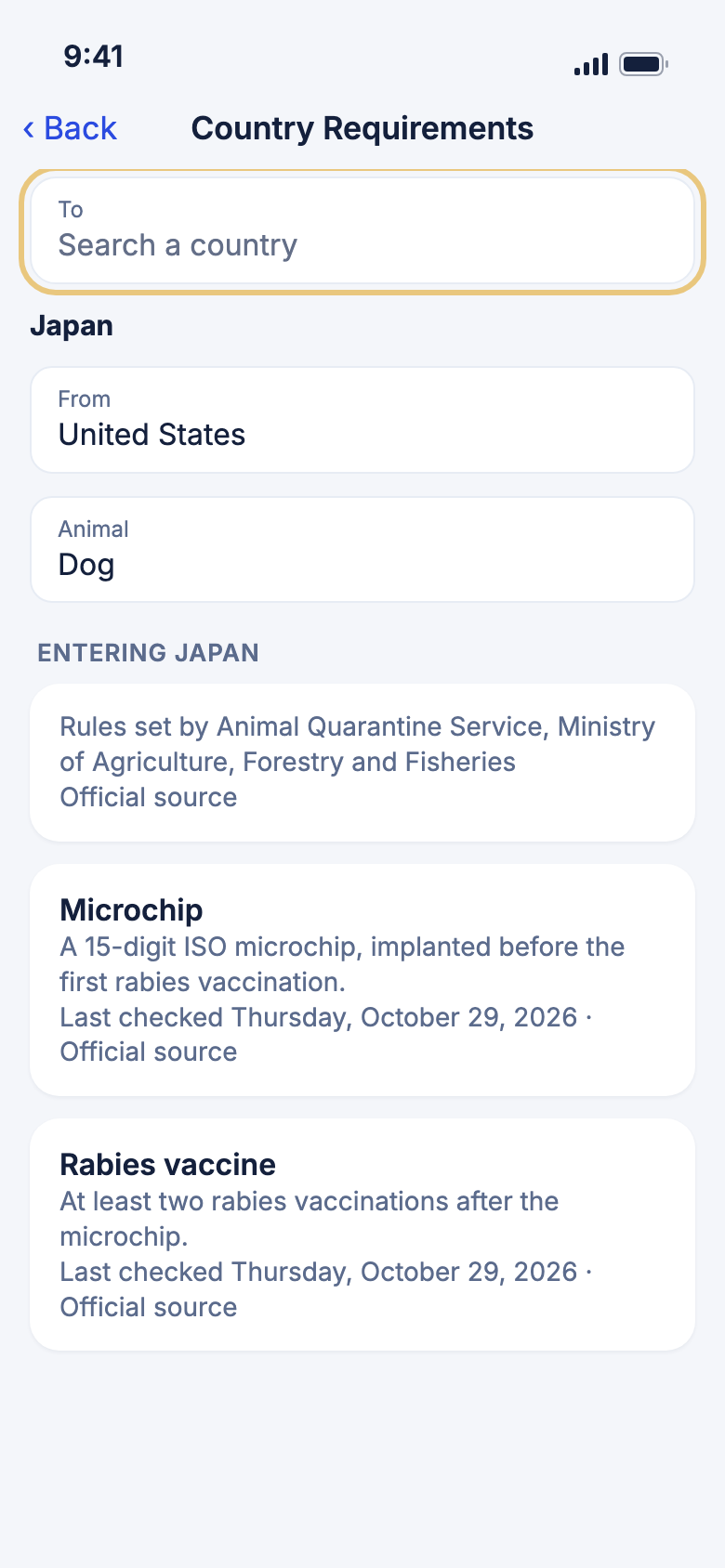
- Tap Country Requirements.
- Under To, type in Search a country and tap the country.
- Pick From and the Animal.
- Read the list. The rules show straight away, with no button to tap.
Good to know
- Each rule, such as Microchip or Rabies vaccine, has a short note, the date WeiiGo last checked it, and an Official source link.
- No rule shows a due date here. For dates, use Before you travel.
- If the country does not accept your animal from where you start, the page says so.
- The rules are stored in the app, so this page works offline. Only the Official source links need the internet.
Check which animals the rules cover
See which animals are covered, and how pets, service animals and emotional support animals are treated.
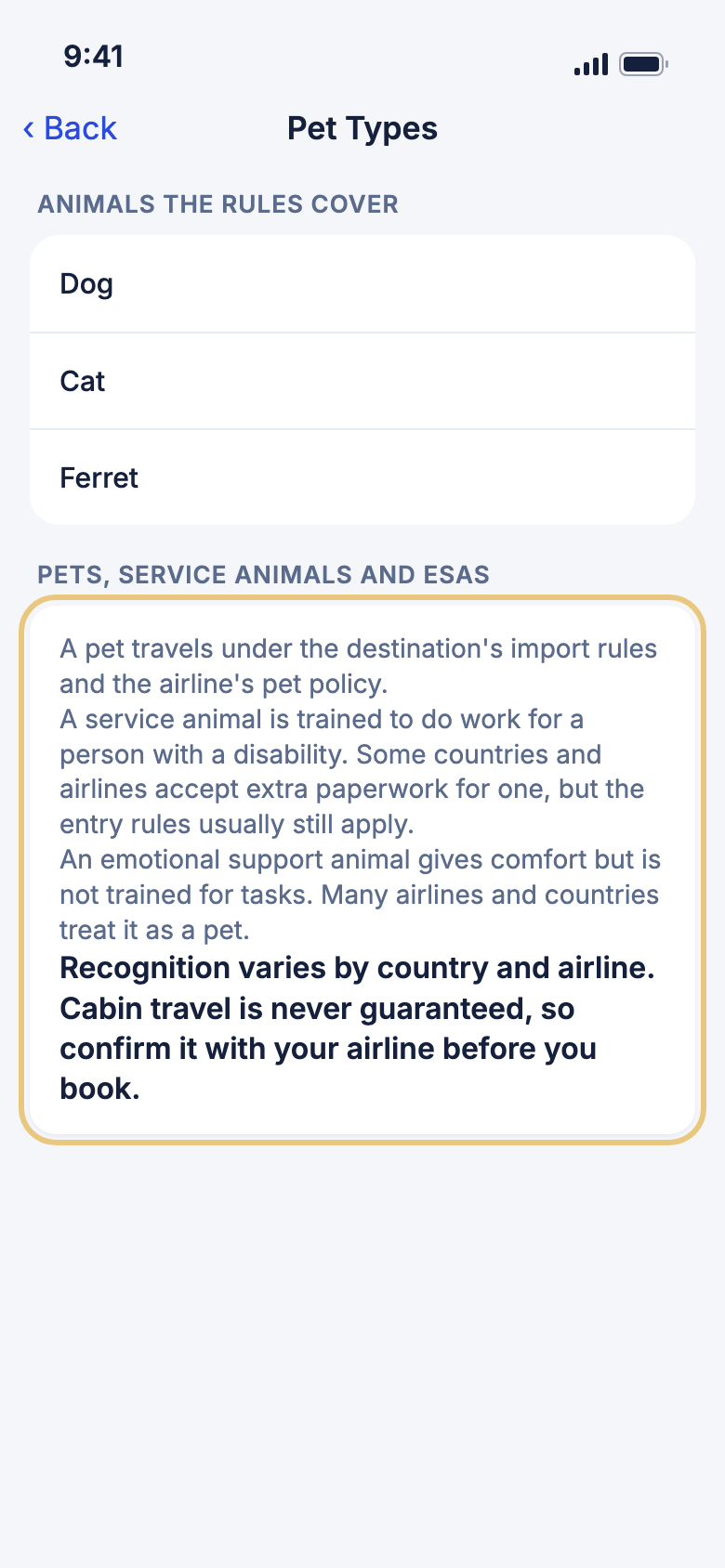
- Tap Pet Types.
- Read Animals the Rules Cover and Pets, Service Animals and ESAs.
Good to know
- A place in the cabin is never guaranteed, even for a service animal. Check with your airline before you book.
Flying and costs
Read your airline's pet rules
See whether your airline takes pets in the cabin, in the hold or as cargo, and what it charges.
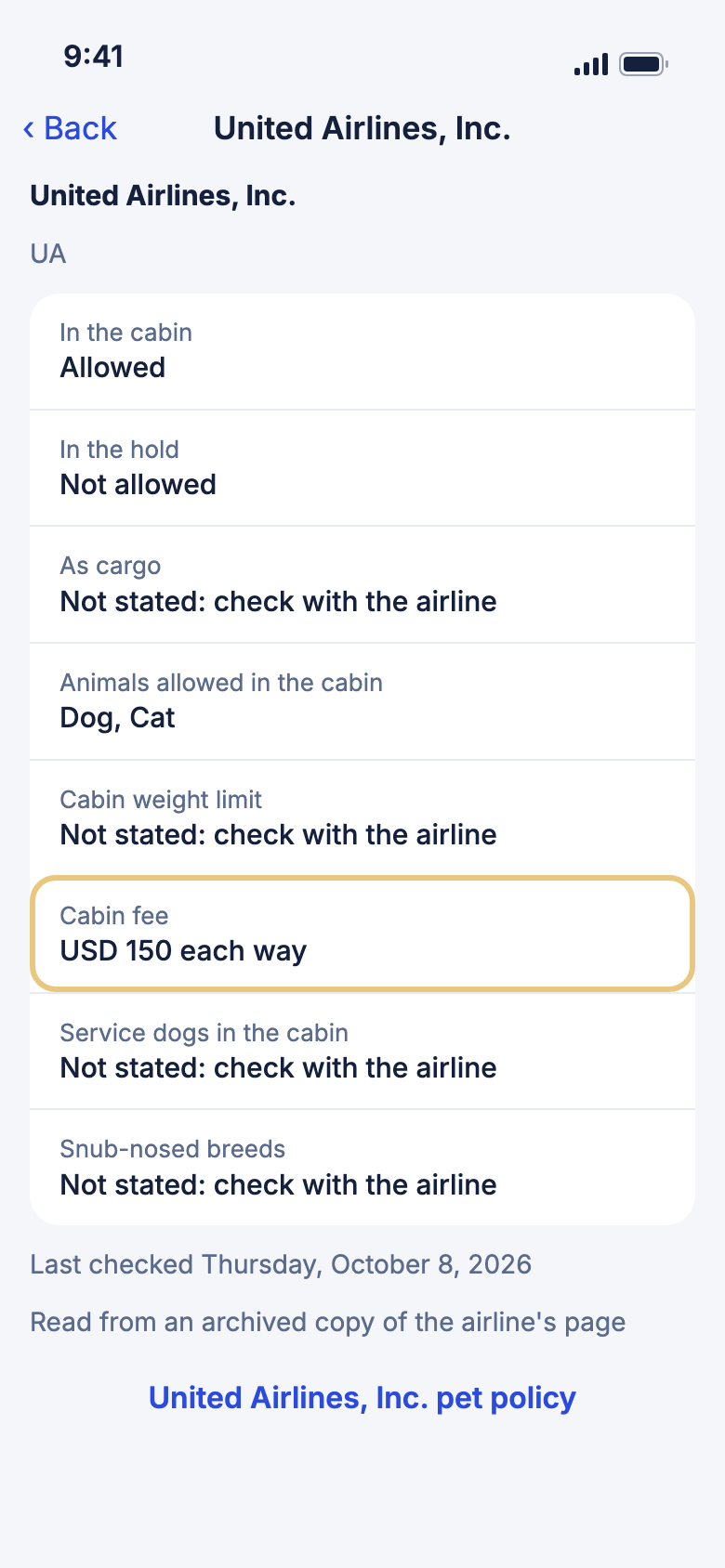
- Tap Airline Policies.
- Type the airline's name or two-letter code in Airline name or code, such as "UA".
- Tap the airline.
- Read each row, such as In the cabin, Cabin weight limit and Cabin fee.
- Tap the airline's pet policy link at the bottom to open its own page.
Good to know
- Fees are shown with the currency code, for example "USD 150 each way".
- Not stated: check with the airline means the airline's own page does not say.
- The list covers the 50 busiest airlines. For any other airline, check its own website.
- If WeiiGo could not read an airline's page, you see no rows, only a reminder to check the airline's pet policy before you book.
See the costs and a checklist for your trip
Get the official fees for your route, your airline's stated pet fee, and every step in date order.
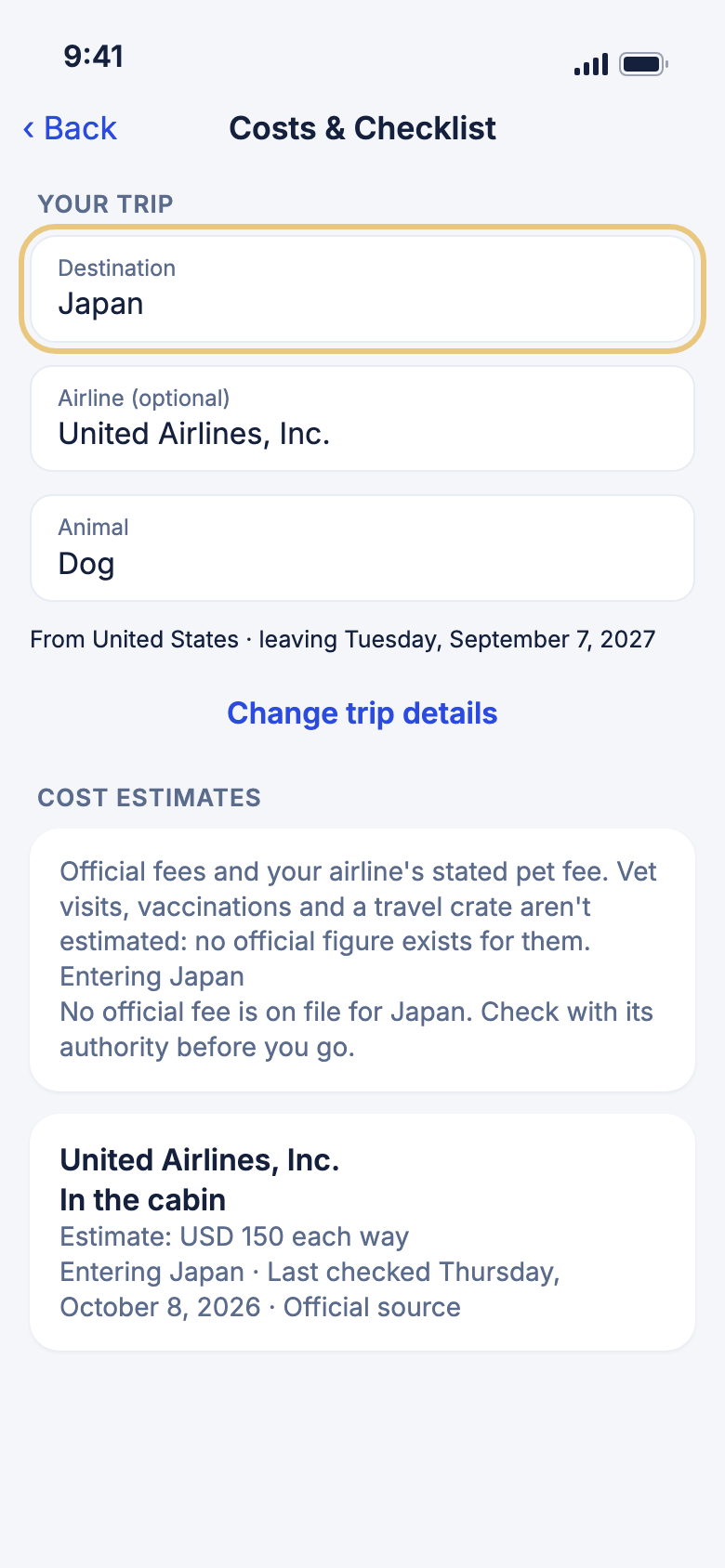
- Tap Costs & Checklist.
- Tap Destination and pick a country. You can type to search the list.
- Tap Airline (optional) and pick your airline, if you know it.
- Tap Animal and pick your pet.
- To change where you leave from, your dates or how your pet travels, tap Change trip details.
- Read Cost Estimates, then tick off steps in the Checklist.
Good to know
- An airline fee reads like "Estimate: USD 150 each way". An Estimated total shows only when every fee is in the same currency and none is missing.
- Vet visits, vaccinations and a travel crate are not priced, because there is no official figure for them.
- If no official fee is on file for a country, or an airline's pages do not state a fee, WeiiGo says so instead of guessing.
- If the country does not accept your animal from where you start, the page says so first and shows no checklist.
- A tick here also shows on Before you travel for the same trip.
Add the pet checklist to a trip
Copy every step onto your trip's checklist, so it sits with the rest of your packing and paperwork.
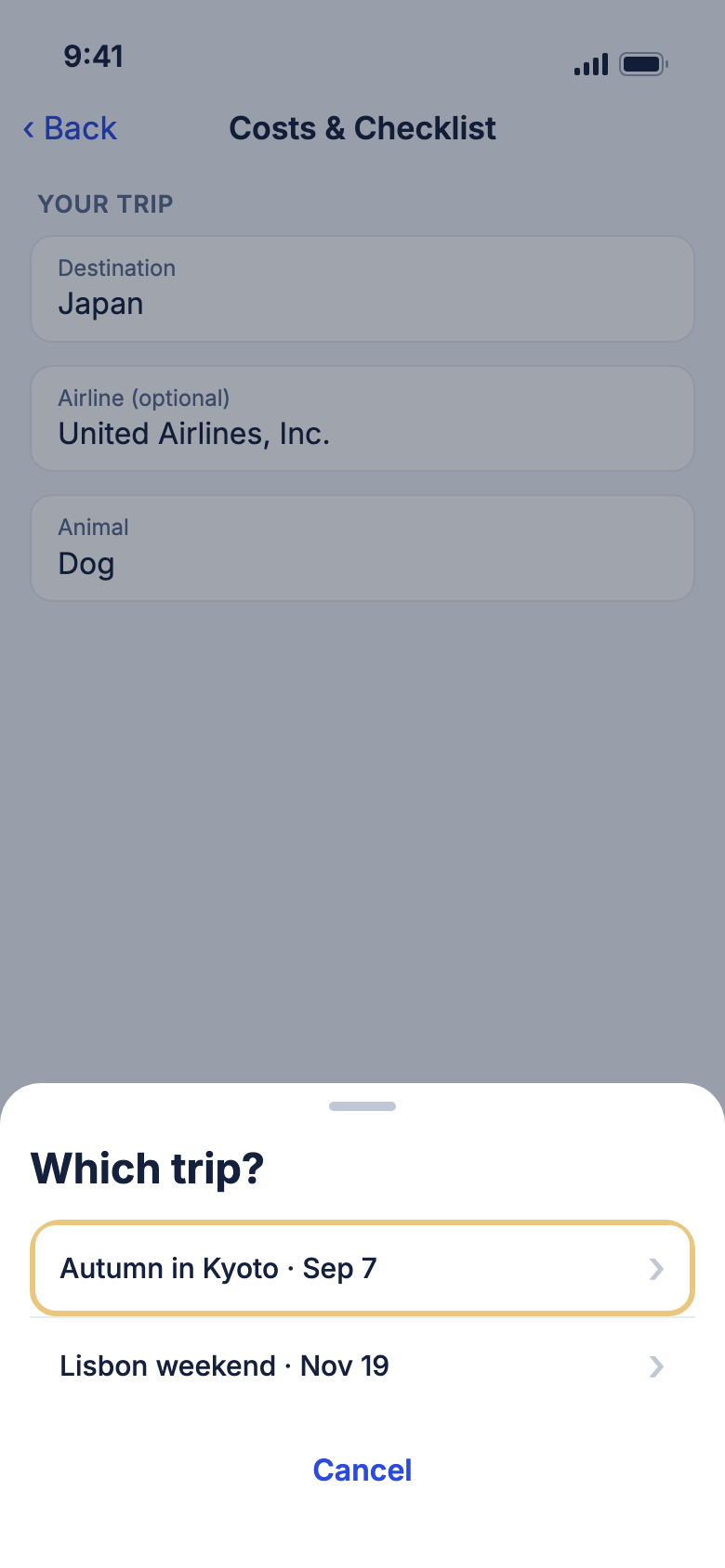
- On Costs & Checklist or Before you travel, scroll to the Checklist.
- Tap Add to a trip's checklist.
- Under Which trip?, tap your trip.
WeiiGo Pro — Adding to a trip's checklist needs Pro. On a Free plan you see an upgrade prompt and nothing is added. Reading and ticking the checklist here stays free.
Good to know
- Only trips you own that have not ended are listed.
- A message confirms "Added to the checklist for" and your trip's name. Steps already there are not added twice.
- Find the steps on your trip's checklist. See Documents, bookings and checklist.
Help on the way
Find a vet nearby
See veterinary clinics within 10 km, and call one or get directions.
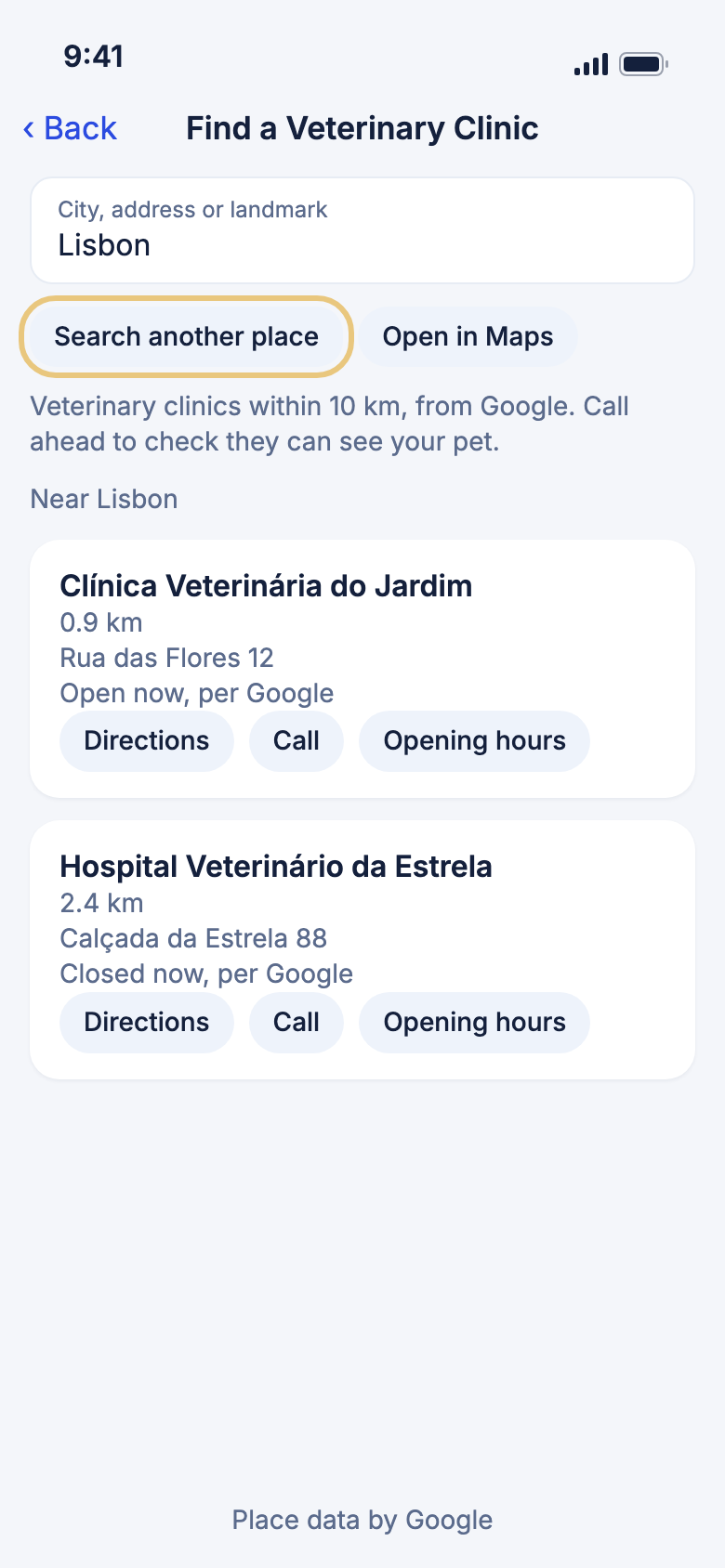
- Tap Find a Veterinary Clinic.
- Read the list of clinics near you.
- To look somewhere else, type in City, address or landmark and tap Search another place.
- On a clinic, tap Call, Directions or Opening hours.
Good to know
- Turn on location services to see clinics near you. Without them, search for a place instead.
- Opening times come from Google. Call the clinic to check before you go.
- Open in Maps runs the same search in your maps app.
Show a vet what your pet needs
Show a phrase in the local language, full screen, to a vet or a passer-by.
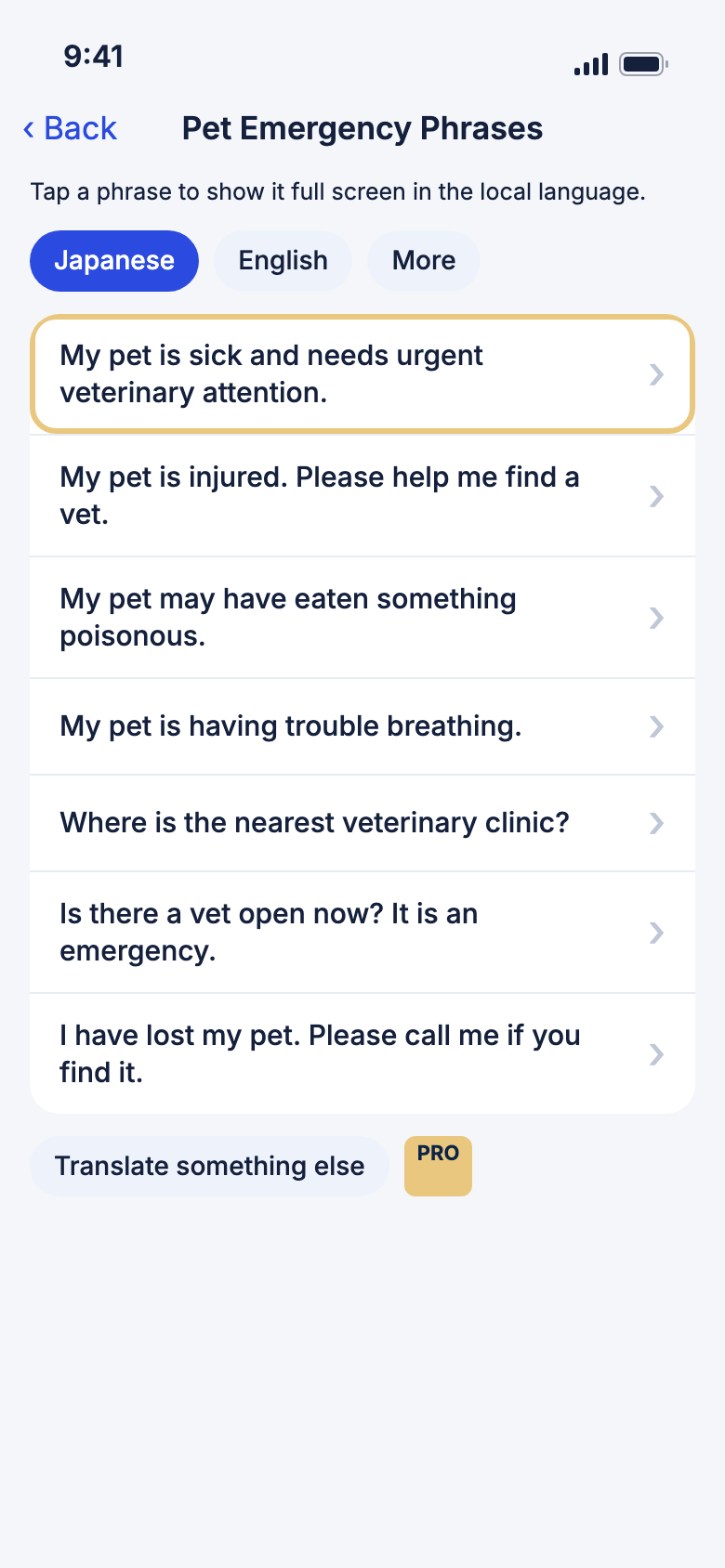
- Tap Pet Emergency Phrases.
- Pick a language from the chips at the top, or tap More to choose another.
- Tap a phrase. It fills the screen in that language.
- Tap Read aloud to hear it, or Close to go back.
WeiiGo Pro — Translate something else opens the translator, which is part of WeiiGo Pro. A Free traveler sees an upgrade prompt.
Good to know
- Phrases are translated on your phone and marked "† Machine-translated, please verify."
- If your phone cannot translate a phrase, it is shown in English.
- Read aloud only shows when your phone has a voice for that language.
Read tips for the journey
Get short reminders for booking, the vet visit, the carrier, travel day and arrival.
- Tap Pet Travel Tips.
- Read each tip, from Before You Book to Staying There.
Good to know
- The tips do not replace the official rules for your route.